Monday, January 26, 2015

Access Cricut Free Images

Happy Monday!

Well… it is Monday when I'm typing this. I have a feeling I won't be able to get it completed and posted until late Monday evening. So you probably won't even see it till Tuesday. LOL

Anyhow… Happy DAY!!! 

I was cruising around Cricut.com today and was looking for the Weekly Free Images. It's actually a pretty cute digital set. I'm hoping that tomorrow I can make a few cards to put back in my stash. 

This weeks free images come from the Movie Night Digital Set. It contains the following images.


These images are available to design with at any time. But you are able to cut with them for free during January 21 - January 28th. I'm posting this kinda late… so HURRY!!!

Here's some cute ideas that Cricut has put together on how to use this set. I think the card would be great for using to give a movie gift certificate or gift card to someone. I'm hoping to make a few tomorrow… or even tonight… and put back in my stash.


Click on the image to take you to Cricut.com and scroll to the bottom of the page for more great projects using this weekly free image set. 

OR…. you can watch the video below and I will guide you through the process of finding the weekly images. This is a great incentive that Cricut gives us each week. I think it's the perfect way to get our creative juices going and make great projects without having to invest in a lot of cartridges. 

Any suggestions on my next video? I'd love to hear from you!


Happy Crafting!!!!


Wednesday, January 21, 2015

Cricut Expression 2 Video Tutorial Series

Hey Cricut Lovers!

Around two and a half years ago (May 2012) I started a video series on the Cricut Expression 2. It is an amazing machine... but I happen to think ALL of the Cricut mahines are amazing. So what sets this machine out from the rest?


Well...lets start from the beginning. I started my love of Cricut machines with the very first introduction at the Summer CHA in Chicago back in 2005. Over the years I've purchased each new machine. The only Cricuts I have not owned are the Cricut Cake and the Cricut Mini. As a proud and very excited new owner of the Cricut Explore I can say there are definitely some advantages of the Cricut Expression 2.

I was reading some comments on my YouTube videos today and one thing popped out at me. I have several friends that love the Cricut. And many that are not computer.... savy... I guess you'd say. They have no desire to learn about Cricut Craft Room or Design Space. And as some comments show... there are still many crafters that don't want to be connected to the internet or a computer. For this reason I believe that the Cricut Expression is very special.
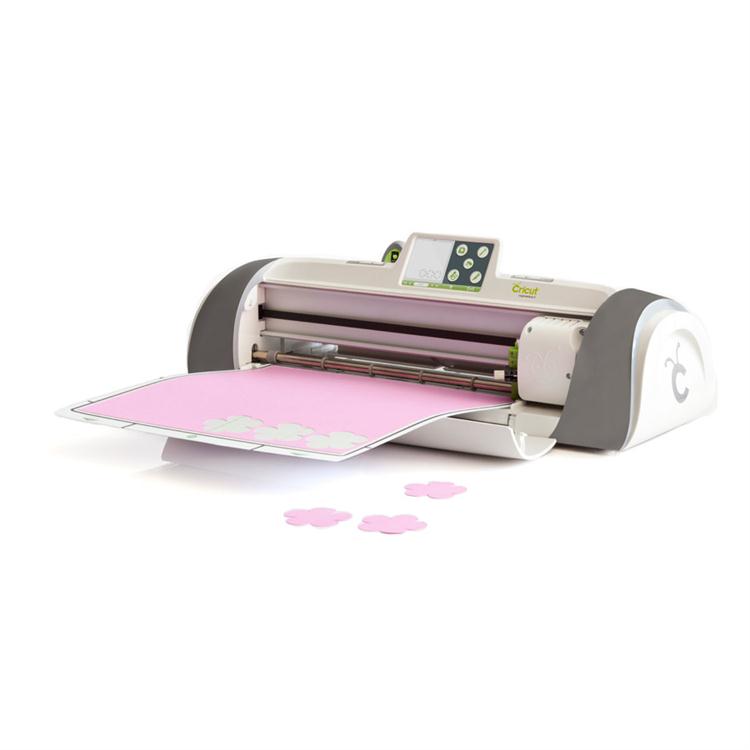
Personally... I'm in love with my new Cricut Explore. I LOVE LOVE LOVE it!!! It's absolutely amazing. But the Expression 2 is also pretty amazing. The E2 has many capabilities all by itself. No need for a computer or internet access. Don't get me wrong... plug that puppy into a computer and use Cricut Craft Room with it and your definitely going to have a multitude of more options. But not everyone wants to be connected. And... being able to unplug from the internet and computer allows you to take your machine to crops, friends house and other events. I also have some friends that live in places that their internet is limited. So they need to have the ability to disconnect. The E2 is the perfect solution. 

So lets get back to my video I created back in May 2012. If you are a subscriber to my YouTube channel you'll find many more videos on Cricut Craft Room than the E2. But even after creating that first E2 video that long ago... it's still relevant today. ALL of my Craft Room videos are now out of date due to updates to the software. But there are no updates to the E2 that change anything. So today the 2012 video is just as relevant. 

Many people have learned about Cricut and ran out and purchased the  machine. I hear way too many times that they have never used it or used it once or twice. Most of the time.. it's just simply because they don't know how to use their machine. This is precisely why I started making videos about Cricut. I have had an early love for the Cricut Bug and I wanted to share my excitement. I wanted to create videos that would empower my fellow crafters to make the  most out of their investment and get these amazing machines into action. 

In this series I wanted to start with the basics. But I did use a cartridge that really stood out to me as one of the best cartridges I owned. That is Close To My Hearts Art Philosophy Cartridge. 


This cartridge has so many possibilities. But where I started was from the cartridges handbook. In every Cricut handbook there is a starter project. And that's what I used for my tutorial. It's actually a great project to start with. It's simple yet has elements of paper, stamping and 3D projects. The roses are so fun to make. 


So...here is the video series that I started all those years ago. Nothing has changed. This is the original video from May 2012. I hope you will learn the basics of the machine and be able to start using it. 

You can click HERE to take you directly to my YouTube channel to all three videos or click on each individual video below. 


In Part 1 I go over the basic functions of the CE2. Here you will learn what each button does. 


In Part 2 we take what you learned in Part 1 and put it into action. We actually take the lessons we learned in the first video and create a project so you can actually make something. 


In Part 3 we actually have cut all the project pieces from the 2nd video and will assemble the card. Most of this video is just basics of card making. But the making of the 3D flower is very helpful on this project.  


I hope you enjoy these videos and that you will get your machine out and create!

Happy crafting!

Tuesday, January 20, 2015

Cricut Expression 2 Video Series... Part 3

Hello my Cricut family. Just a quick post here. I'm so glad to finally get this Part 3 of the Cricut Expression 2 video series uploaded to YouTube. It's been a long time coming. Now that I got that all taken care of I can finally get on to more videos. I think there is a lot more we can still learn about the CE2. I look forward to sharing more videos with you.

I am excited to bring a new video series to you as well.... the Cricut Explore Series is coming soon!!! Do you  know what that means??? Yep... I got one for Christmas. YEAH!!! And I absolutely LOVE it. But... I love all my bugs. So I won't be abandoning any of them. This is going to be an exciting year.

Here's your video. Hope this series inspired you to get your Cricut out and make something. 

Happy Crafting!!!

Wednesday, November 26, 2014

Cricut Expression 2 Video Series PART 2… FINALLY!

Wow! You may recall that a while back I FINALLY was able to get my iMac working. I spent several days on the phone with Apple Support and was able to fix a lot of issues I had been having. There were multiple issues but basically the thing just wasn't working right. With issue after issue I just walked away from it and stopped using it. It was the computer I used for my blog and for editing videos… so after that my ability was limited. As far as videos were concerned… I was done. I had no way of uploading and editing videos. I had actually already made a video on the Cricut Expression 2. I absolutely love Cricut Craft Room, but I also realize that not everyone has access to a computer or even wants to work that way. I made a video and divided it up into three parts. I was able to successfully upload the first one. However… thats as far as I got. At least… till I got my iMac working. While sorting through the files and deleting junk… I found the other videos.

If you watch my CCR videos… You'll notice that they are somewhat outdated. I taped them when there was a previous version of the software. The E2 video doesn't rely on any software on the computer so it is still very relevant.

So here it is… FINALLY!!!!

Cricut Expression 2 Video Series - #2 The Basics (Part 2)


I hope it's helpful. I appreciate your patience. :)

Part 3 will be uploaded soon. 


Monday, November 3, 2014

Free Images - CCR Exclusives, 3D Lanterns

Wow! Happy November! Can you believe that October is over? It flew by. I don't know where you guys are but we had our first glimpse of snow here in Southern Indiana. Halloween we had a mix of sleet and hail and then later had flakes. They didn't do much. But still… scary sight. I don't like the cold and the stuff that comes with it. LOL

So this weeks Free Images is another one that I'm not super excited about. I knew two things… I didn't have a lot of time this week… and that since I wasn't super excited about the 3D Lanterns that I probably wouldn't be making one.

But I still want to share the possibilities with you. Because although my initial response was… eh… it's mainly because there doesn't appear to be many options with this one. Maybe how you display them is where some creativity can play in. And maybe you will love it. So lets at least look at some of what is out there.

This is the first image that I came across that really caught my eye. This is by Beth Denton. I found this on Pinterest. She doesn't have a blog but she has a Cricut board and some others that I am now following. Check her out.


Here's another by Beth. She's using tracing paper. 


There weren't very many. But here is another that I found. She used black card stock and vellum. These are by Golden Leaf Scrapbook. Check out her blog. Or click on the images below to go straight to her 3D Lanterns post.  


That's pretty much all you get on a quick search. Of course here is what the images actually look like although both of the above projects I found they used all the images. 


Hope you all enjoy this weeks free images. I'm ready to look into some new Cricut Craft Room videos. Maybe even play with Design Space a little more… except that will just increase my desire to buy the Cricut Explore… I WANT ONE!!!! LOL

If you come up with something cool with the 3D Lanterns let me know. I'd love to see some interesting takes on this one. 


Wednesday, October 29, 2014

Recap: Cricut Craft Room Video Series

So I was looking over some of my past videos to remind myself what I have done and what I could do. Man... Cricut Craft Room has changed so much. It's fun to look back to where it started and how far it's come. The videos are still useful... but it's time to do a total update. So many things have changed. It's hard to believe that I have 11 videos on CCR. Here is a link to my YouTube channel and the Playlist for this video series. 


I actually covered quite a few topics. Here are the topics


If you have any questions on any of these videos feel free to comment here or on the video. I FINALLY was able to get my iMac up and running again. So now I have the ability to start making videos again. I'm hoping that all the issues I was having with iMovie were fixed with the fixes the wonderful Apple tech Andrew helped me with. Over 6 hours of tech support with Andrew. He was amazing and his dedication to helping me get my iMac working has renewed my belief in Apple products. (LOL... sorry... random insert about Apple)

Tuesday, October 28, 2014

This Weeks Free Cut - Zombie Cartridge

Well... last week I shared the FREE CUT of the week with you and the sign that I made using it. I had planned on making something each week and sharing it with you. So when Wednesday came I was excited to see what the free images were this week. Well... It's now Tuesday and I still have't done anything with it. The truth is... I'm just not overly fond of the images. So I haven't been able to come up with any ideas.

First of all... Here are the images. Click on the pic to take you to the digital handbook


About the closest thing I could come up with was using the last symbol to make napkin rings for a zombie party. LOL. 

So I decided to see if I could find anything on other blogs to share with you. Wow... there are very few. Here's what I found.

I thought this card was cute. I found it on Pinterest but the blog it was linked to no longer exists. I can tell you that they used the Zombie cartridge and My Pink Stamper stamp set. 


Here's a cute idea... skull streamers. And you could do this with the heart and the other symbol (what is that called anyways? LOL). Cute idea.. again... no blog linked. But if you click on the pic it will take you to the pinterest pinner where I found it. 


This is super cute! Never thought to use a zombie cartridge for Valentines Day. But it's cute. LOL.. and I actually found a link to a blog. Click on the pic to see the post of the card She has some other really cute stuff. Visit her site at Sara W Andrews


And one more.. You'll find this one at Cricut.com Project Center. There are step by step instructions on how to make it. It's actually pretty cute too. Maybe I'll make it just for fun. 


Well... that's all I got for you today. Not every cartridge speaks to us. This one wasn't quite my style. But I did find some cute things it could be used for. Tomorrow is another Wednesday... new images to choose from. Can't wait to see what they are.

Still wanting to find out how to do a linking party. I want to see what others are making.
Happy Crafting!